

Add items your way
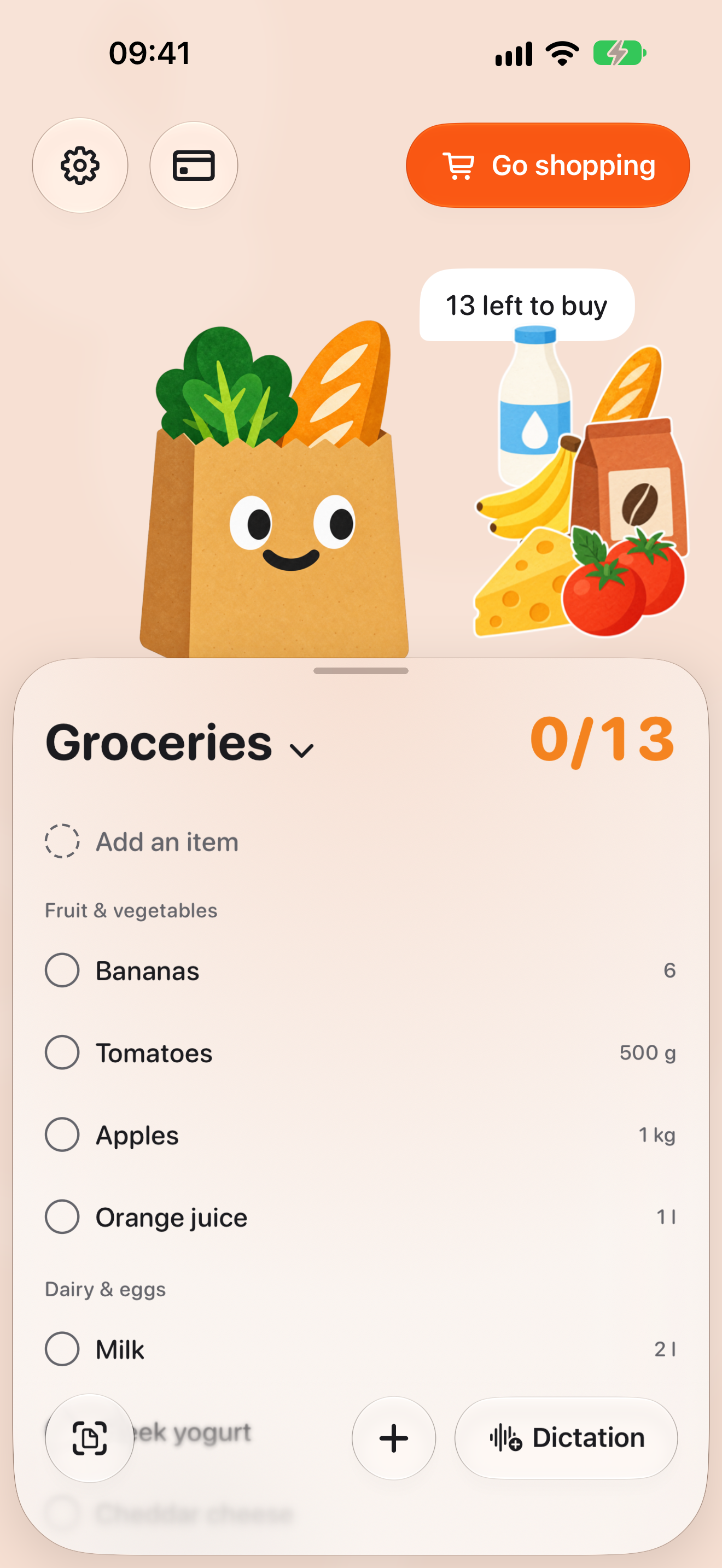
Type the items, dictate them, photograph a handwritten list or paste a recipe link. You always see the result first and can fix it before it goes into the list.

BAGGO
For anyone who shops with a list, on iPhone and iPad
BAGGO builds a list from typing, voice, a photo or a recipe link, sorts the items by aisle and shows them in large rows at the store. Lists, voice and photos work offline, and no account is needed.
iPhone and iPad · iOS 26 or later · lists and cards are free
Three moments where a list usually lets you down: writing it, walking the store, and standing at the checkout.
Type the items, dictate them, photograph a handwritten list or paste a recipe link. You always see the result first and can fix it before it goes into the list.
One tap turns the list into large rows made for one hand. Items are grouped by aisle, and you can check them off from the Lock Screen.
Loyalty cards live in a small wallet inside the app. The code is read by the camera or from a screenshot and shown at the checkout at full brightness.
By typing, voice, photo or recipe. BAGGO sorts the items by aisle for you.
The rows get large and everything distracting leaves the screen. Lock the phone and you can still check items off from the Lock Screen.
When everything is bought, the screen stays with a “Show card” button.
Four screens: the list at home, the review before adding, store mode and a card at the checkout.
iPhone · list
A list sorted by aisle
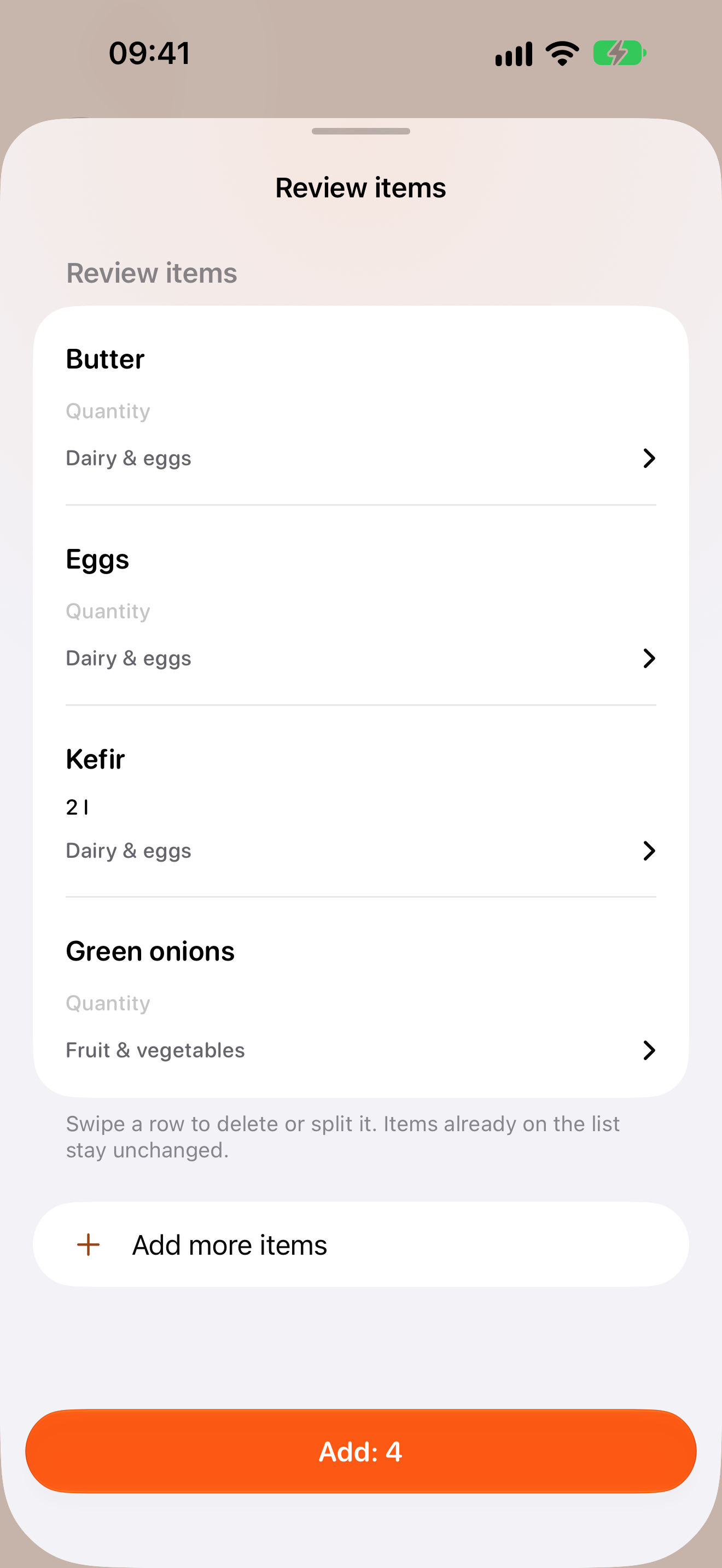
iPhone · review
Check it first
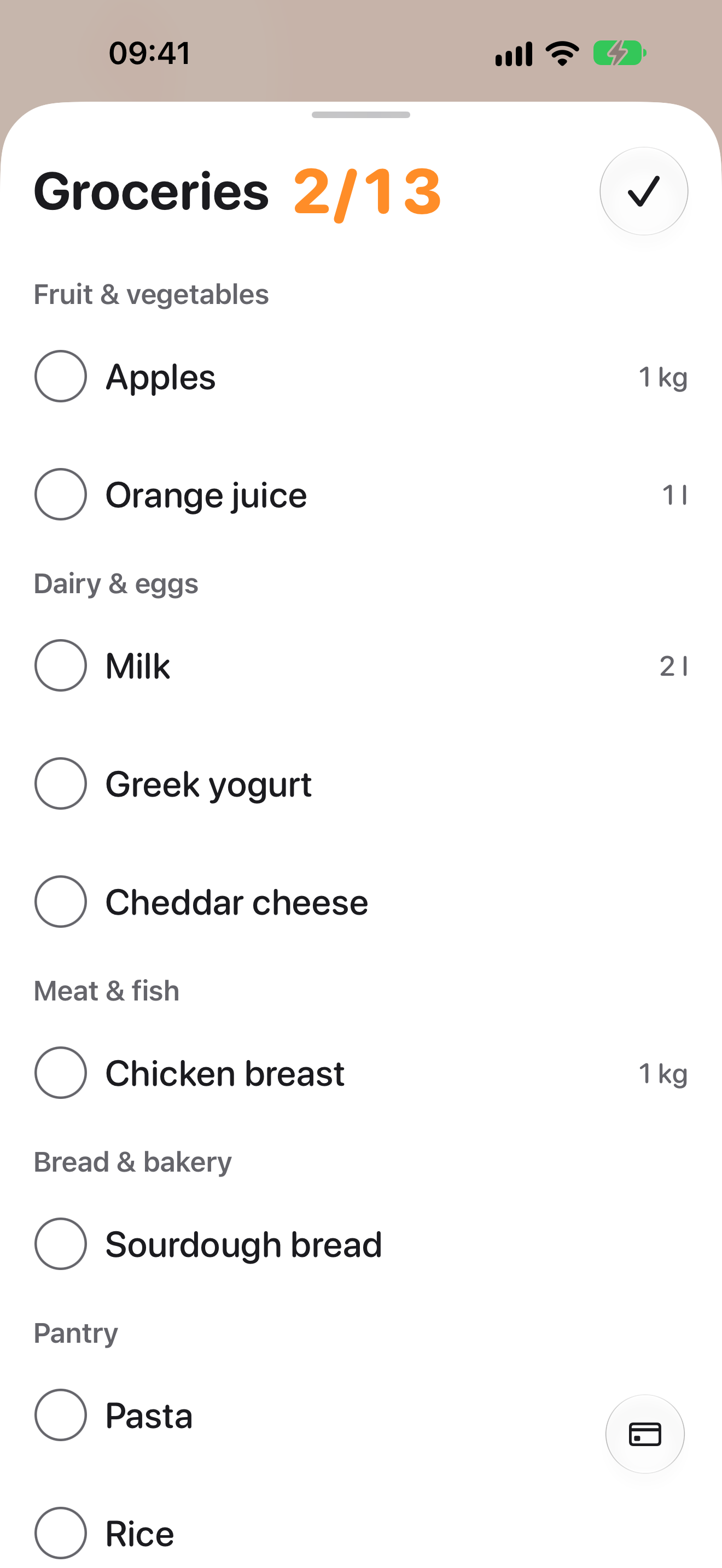
iPhone · store mode
Large rows, one hand
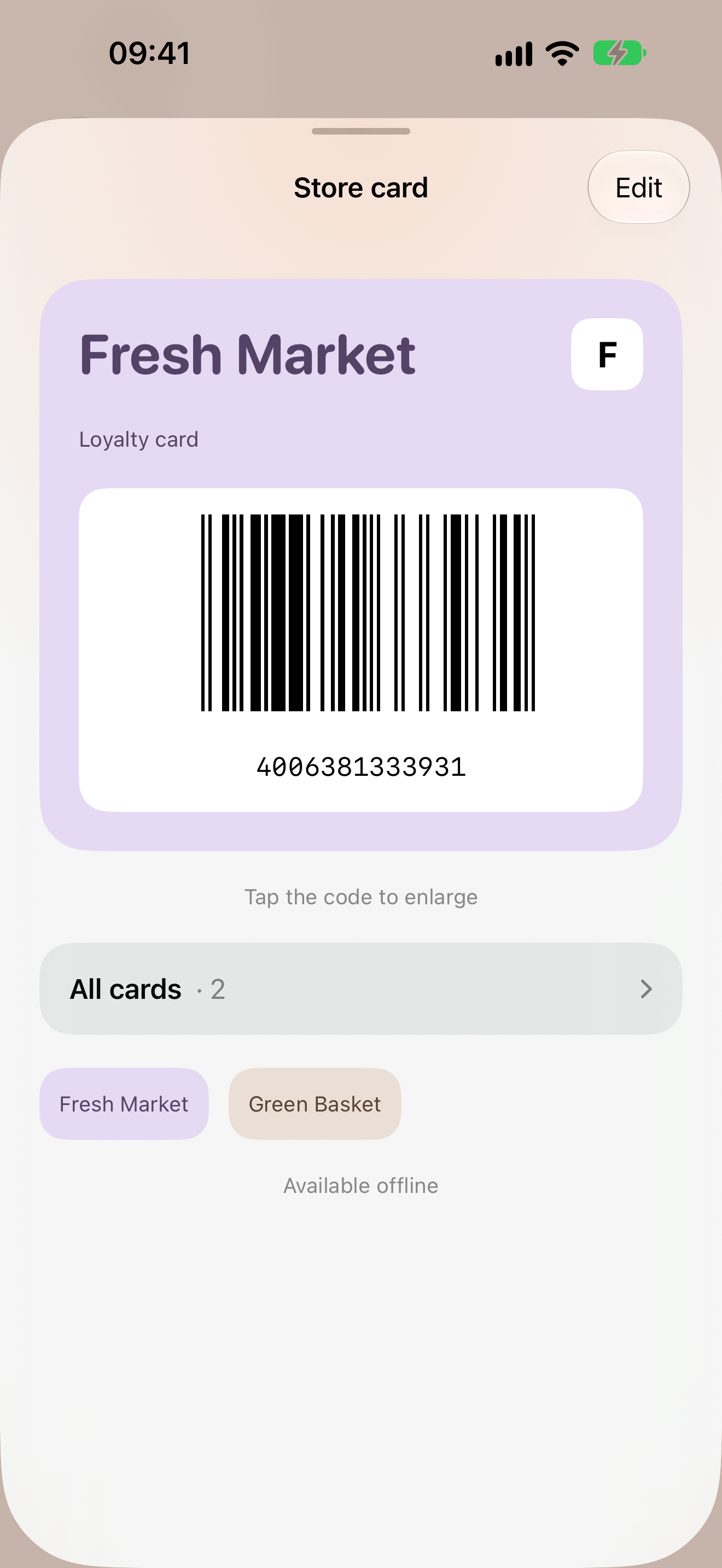
iPhone · card
A card at the checkout
You can try each BAGGO Plus feature three times without paying.
forever
Subscription or one-time purchase · price shown by the App Store
A monthly or yearly subscription with a 14-day free trial for new subscribers, or Lifetime as a single payment.
Voice, photos and recipes are recognized with mistakes. So nothing enters the list on its own: a review screen comes first, where an item can be fixed, split or removed.
Store mode finishes before you reach the checkout. If you have cards, the “Everything purchased” summary does not disappear by itself; it stays with a “Show card” button.
Lists and cards are stored locally, and voice and photos are recognized on the device. No account, ads or analytics — and no server to protect.
Many stores keep the card only inside their own app. The code can be read from a screenshot, and the card is shown with the same barcode type as the original.